How to set up the Falkor Assistant Plugin for Multisite use
Who is this article for
- Anyone who owns the Falkor Bundle and wants to set it up for Multisite use
Skill level
- Easy
Time to complete
- 2 minutes
Before you start
- Make sure to have the latest Falkor version installed and WordPress and Divi theme up to date.
How it's done
Getting Falkor Assistant Plugin to work on a multisite is easily possible. Please find the installation steps below:
- Do not network activate the plugin.
Go to your Network Admin - Dashboard - Settings - Network Settings - at the bottom of the page please check 'Enable administration menus - Plugins':
Save the changes.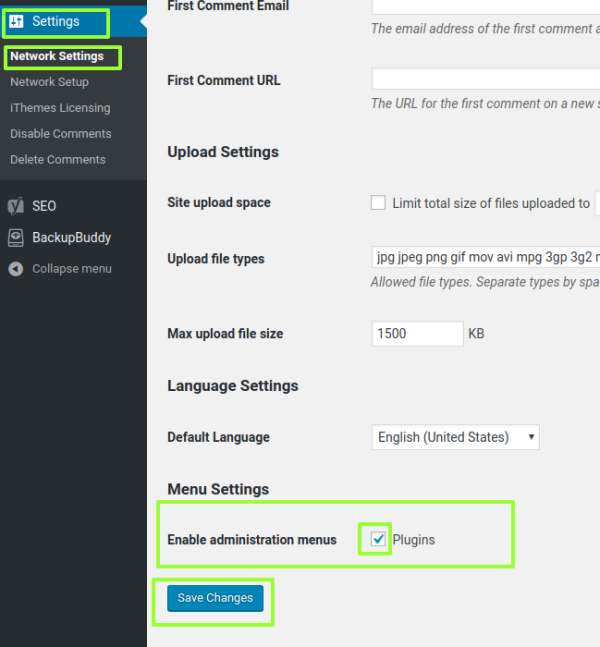
-
Login to any of your subsites, go to plugins menu and activate the Falkor Assistant. Add the license key.
-
Do #3 for all your sub-sites.
-
Please note that if you plan to migrate sites OR if you are switching from sub-folders to sub-domains at any point, you will need to re-enter the license keys.