How to Add WP Widgets for Catgories and Recent Posts
Who is this article for
- Anyone who owns the Jackson Pack and wants to have sidebar as in the Jackson demo page
Skill level
- Easy
Time to complete
- 3 minutes
Video tutorial
Before you start
- Make sure to have latest Divi and Jackson versions installed Create widget areas and add widgets
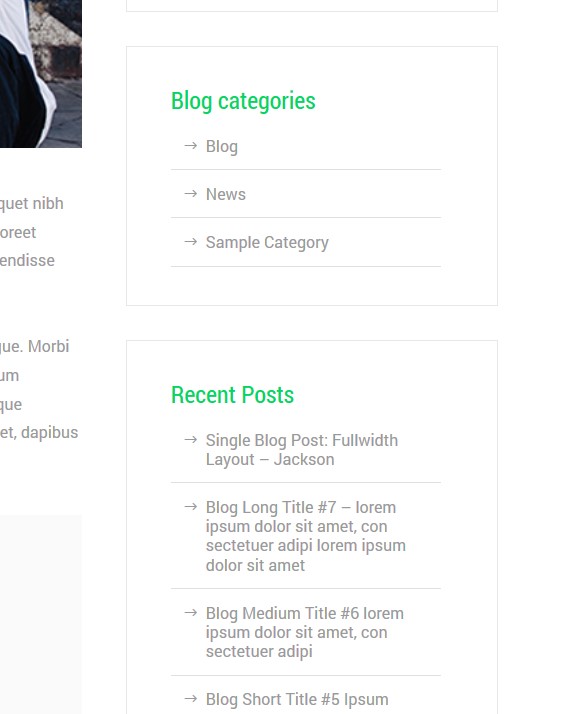
Our goal here is to achieve this look of the sidebar, with Blog Categories and Recent Posts widgets in it:
 Go toDashboard menu->Appearance->Widgets.
Here you need to have two custom created widget areas. One calledBlog Categoriesand other one calledRecent Posts.
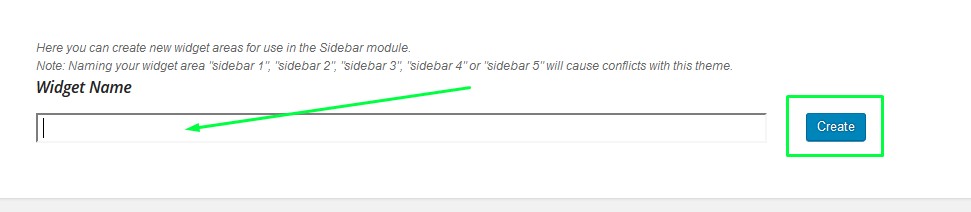
To add new widget area, simply use the form shown in the screenshot. Type in the widget area name and click *a create *button.
InBlog Categories, drag&dropCategories** widget.
InRecent Posts, drag&dropRecent Posts** widget.
Optionally, you can add widgets names and change the settings.
That's it!