How To Add a Premade Divi Menu To Your Site
Deprecated: Since Divi 4.0 it is possible to use the Divi Theme Builder for this.
Who is this article for
- Anyone who owns Divi Den Pro and wants to know how to add a premade menu to the website. Note: Since Divi 4.0 it's possible to use Divi Theme Builder instead. See the video tutorial at the bottom of this article.Skill level: Easy**
Time to complete: 2+ minutesRecommended: You can now add a navigation using Divi Theme Builder. See this LINK for the instructions.
Before you start
-
Please make sure you have the latest Divi Theme installed and that Divi Den Pro is up to date.
-
Make sure that Divi Den Pro plugin API key is activated.
Video Tutorial
How to do it
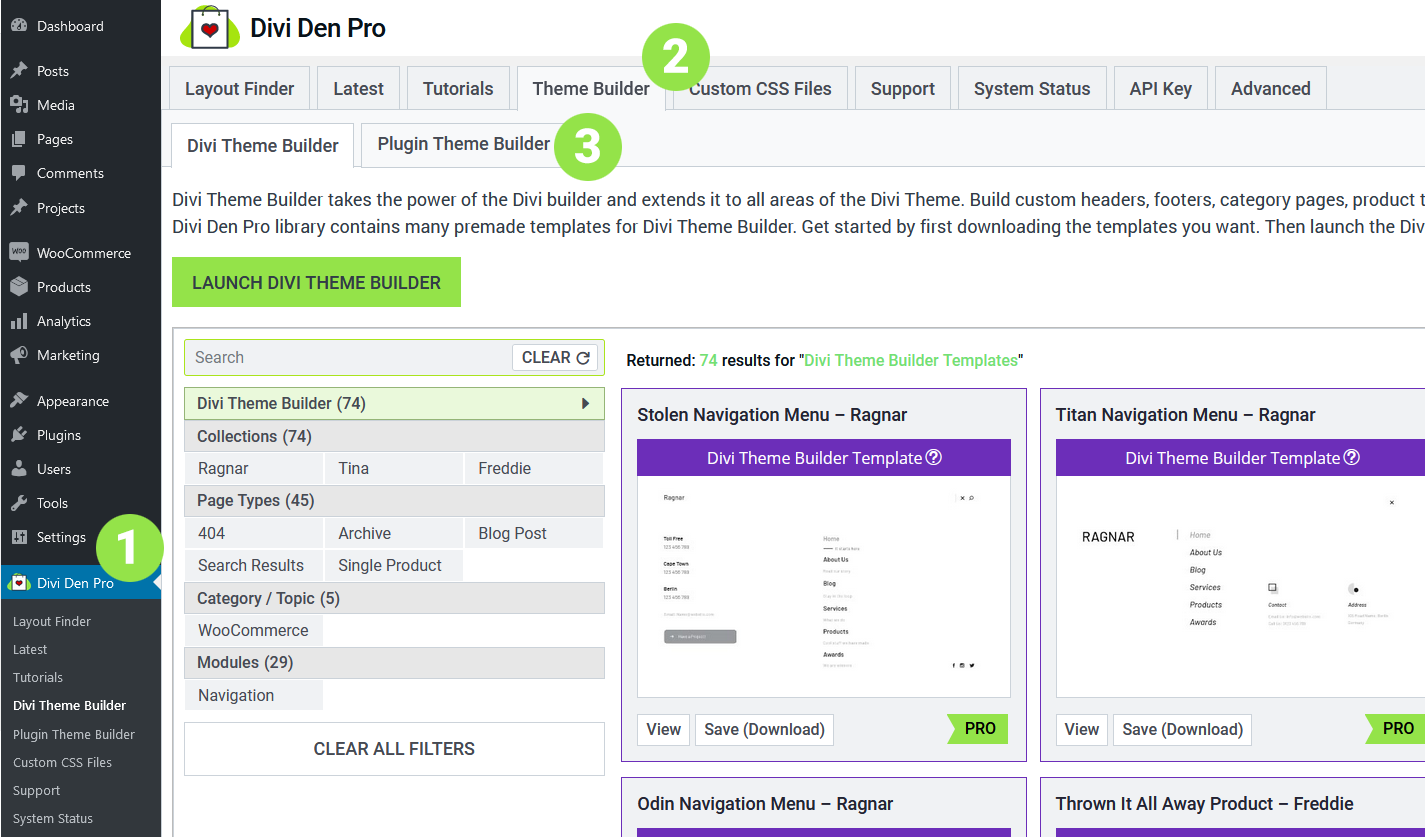
Go to Divi Den Pro dashboard and select the Theme Buildertab. Then select thePlugin Theme Builder tab.
 Toggle
Navigation Menus and save the one that you like.
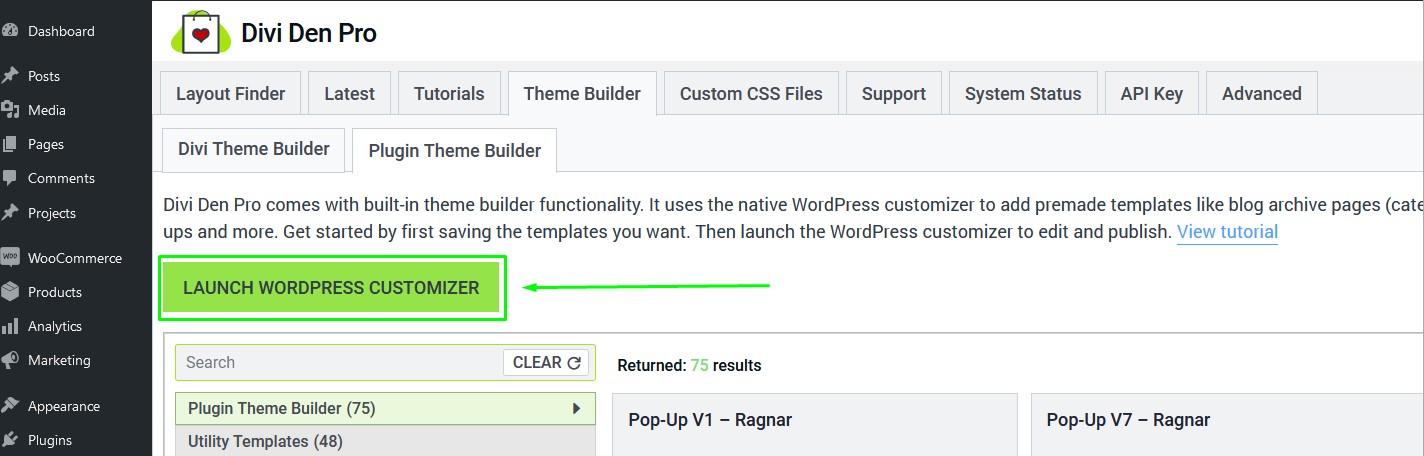
Now launch the WordPress Customizer:
Toggle
Navigation Menus and save the one that you like.
Now launch the WordPress Customizer:
 Toggle
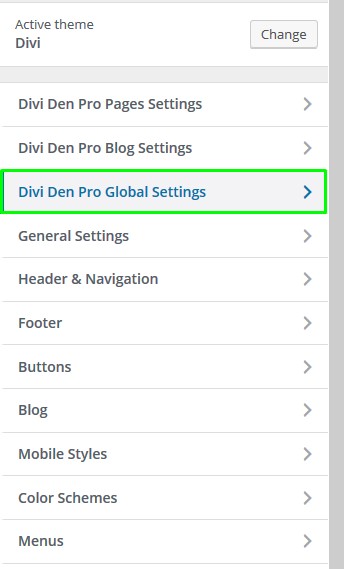
Divi Den Pro Global Settings:
Toggle
Divi Den Pro Global Settings:
 Toggle
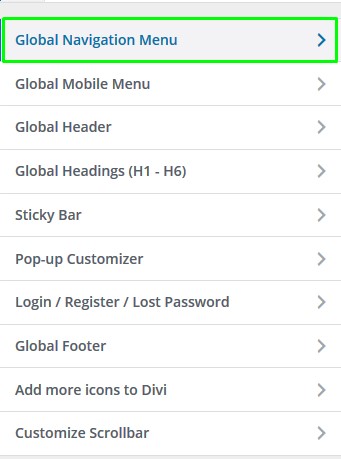
Global Navigation Menu:
Toggle
Global Navigation Menu:
 Click the dropdown menu, and you'll see all the menus you've saved:
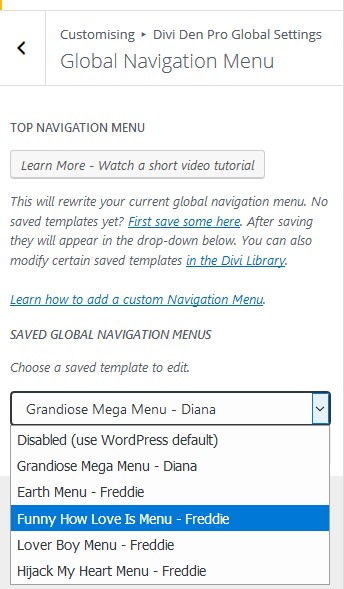 Select the menu you would like to use and hit the
Publishbutton.
Select the menu you would like to use and hit the
Publishbutton.
 Customization
To customize the menu you're using, go to Divi > Divi Library:
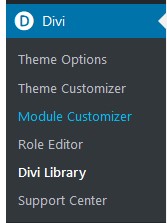 Find the menu you would like to edit, and open it.
Use the Divi page builder to change the content and the design of the menu. To change the navigation that's displayed, use the Fullwidth Menu module settings.
Find the menu you would like to edit, and open it.
Use the Divi page builder to change the content and the design of the menu. To change the navigation that's displayed, use the Fullwidth Menu module settings.