Using Divi Den Pro layouts with Divi 5
This guide helps you properly configure Divi 5 for optimal compatibility with Divi Den Pro layouts and modules.
NOTE: Guidelines only apply to websites using Divi 5 combined with Divi Den Pro.
When to make these adjustments
Make these configuration changes when you encounter:
-
Difficulty selecting elements in the Visual Builder
-
Icons not displaying correctly on your frontend
-
Layout elements that seem unresponsive or hard to interact with
Important: Divi 5 is for new websites only. Do not use on existing Divi 4 sites.
Configuration changes
Use wireframe view for easier element selection
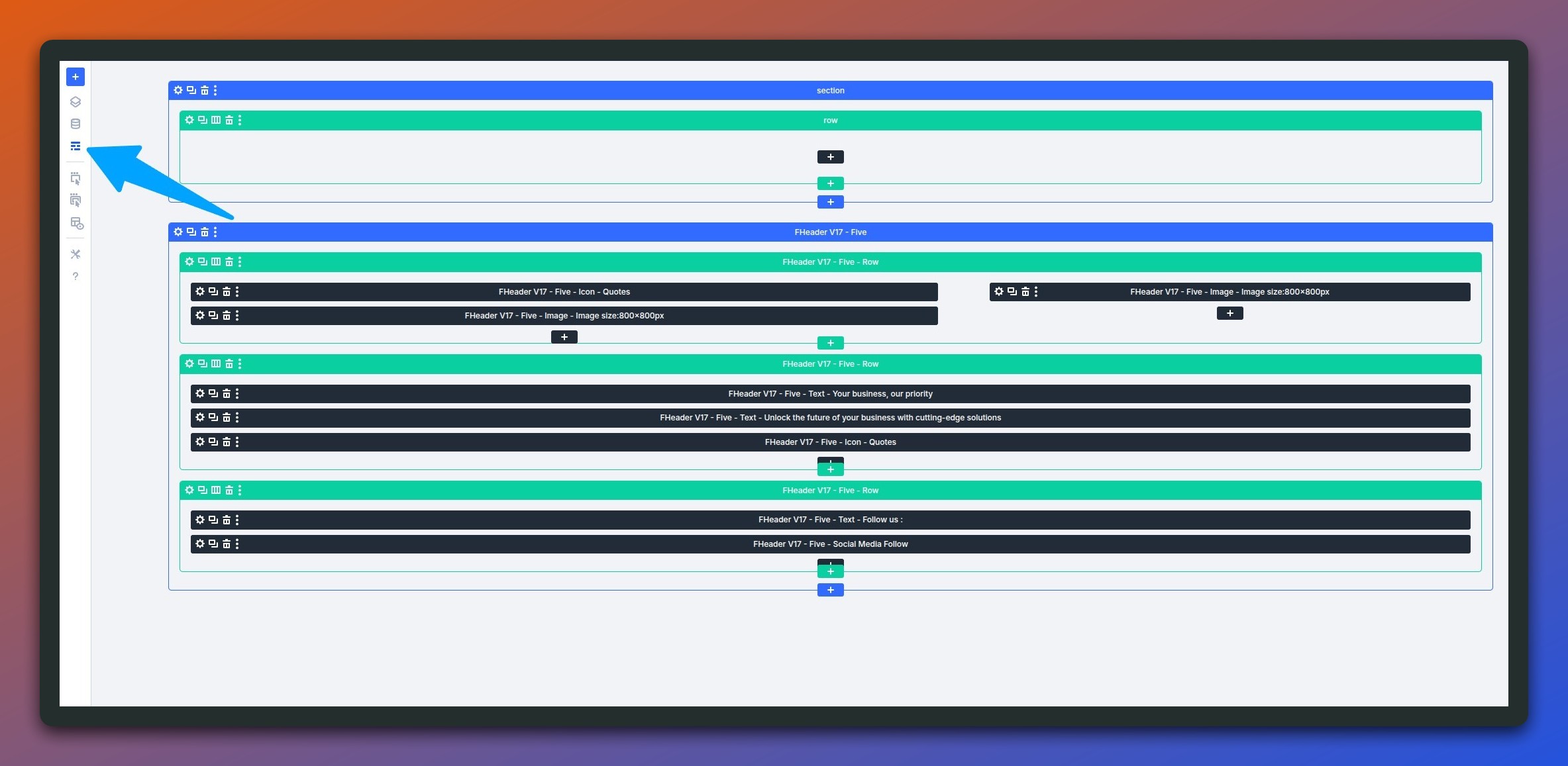
If you're struggling to select Divi Den Pro elements in the Visual Builder, switch to Wireframe View:
-
Open the Divi Visual Builder
-
Click the wireframe icon in the builder toolbar
-
This displays a simplified outline view making elements easier to select and edit
Why this helps: Wireframe mode removes visual styling complexity, making it simpler to target specific modules and sections in complex layouts.
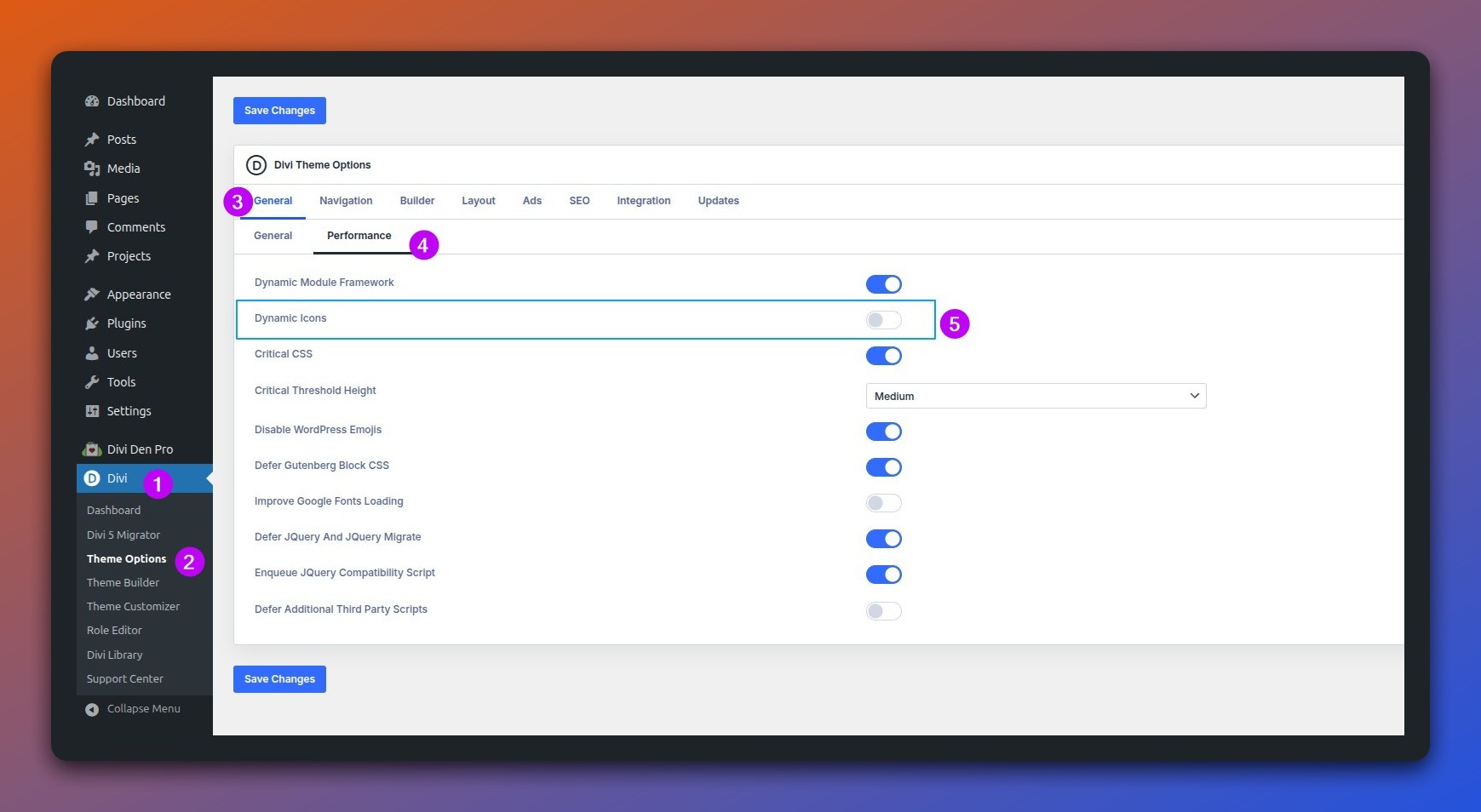
Disable dynamic icons to fix display issues
If icons aren't appearing correctly on your frontend:
-
Navigate toDivi → Theme Options → General → Performance
-
Find "Dynamic Icons" setting
-
Toggle itOFF
-
Save changes
Why this helps: Divi Den Pro modules use complete icon fonts loaded via CSS. Dynamic icon loading only loads partial icon sets, causing some icons to fail displaying properly.