How to add Visual Progress Bar to Divi
Who is this article for
-
Anyone who owns Divi Den Pro and wants to know how to add a progress bar.
-
You can see the original post right here: https://wp-den.com/divi-feature-request-how-to-add-a-visual-progress-bar-with-anchor-links/
Skill level:Easy
Time to complete: **3+ minutes
Before you start
-
Please make sure you have the latest Divi Theme installed and that Divi Den Pro is up to date.
-
Make sure that Divi Den Pro plugin API key is activated.
Video Tutorial
How to do it
The easiest way to get started is to use the premade Visual Progress Bar Page.
Go to Divi Den Pro > Layout Finder. Find the Visual Progress Bar layout, and save it to the library.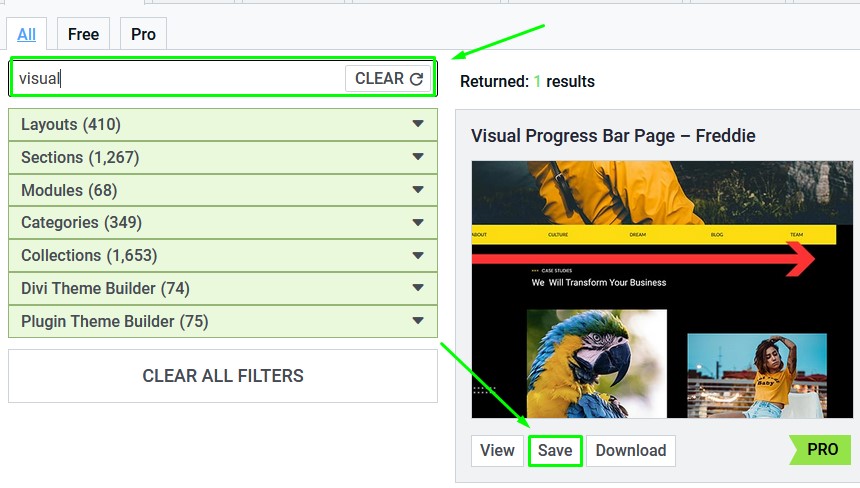
Load the layout on a page and you will already have the progress bar working.
To use the progress bar on an already existing page, you will have to load this section only (it's the first section from our premade page layout):
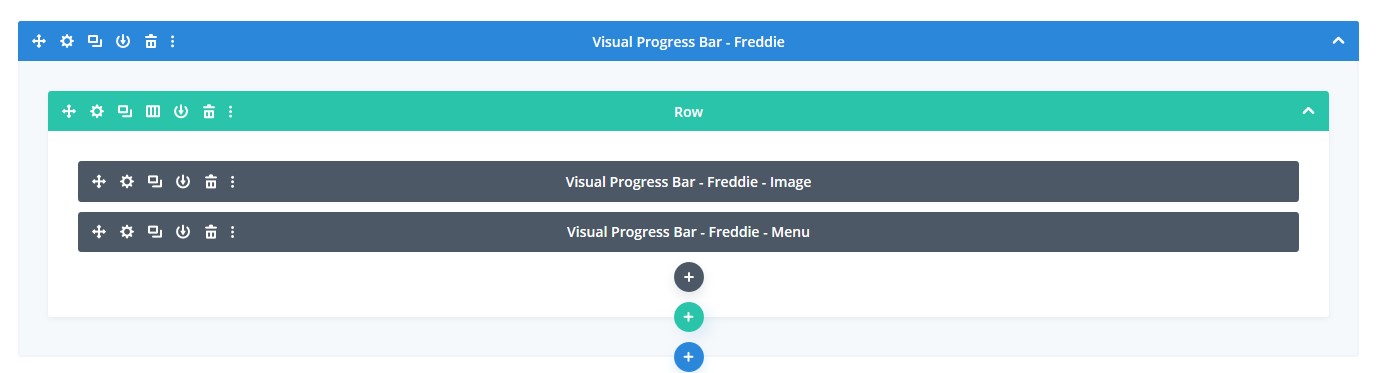 To do so, you can load the Visual Progress Bar Page, save only this section to the library, and then load that section only on your existing page.
Customizing
To change the menu items, go to the menu module settings. It's not really a Menu module, but a Text module, although it serves us as a menu here.
To do so, you can load the Visual Progress Bar Page, save only this section to the library, and then load that section only on your existing page.
Customizing
To change the menu items, go to the menu module settings. It's not really a Menu module, but a Text module, although it serves us as a menu here.
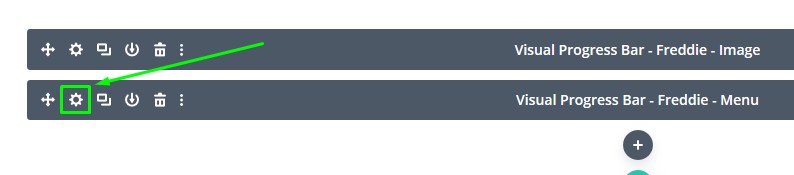 Use the Text editor:
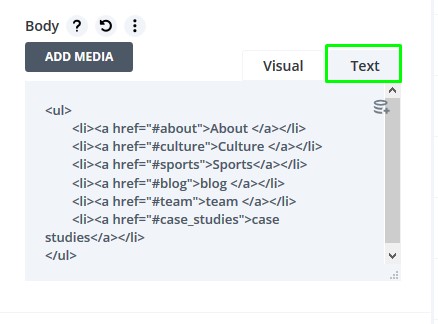 Change menu items to anything you would like. But also, you need to change the *href *links.
Href links need to have the hashtag - do not remove it.
Change menu items to anything you would like. But also, you need to change the *href *links.
Href links need to have the hashtag - do not remove it.
The href text needs to match the section ID. For example, if you have a section Sports with the ID "sports", href needs to be "#sports". Additionally, make sure to have the same number of the menu items and the sections. Not necessary, but it will make more sense of the progress bar.
Also, make sure that the menu items order is the same as the sections order on the page. That's all, enjoy!