License key is not activating. API key status shows "Deactivated"
Who is this article for
- Anyone who owns the Divi Den Pro and have issues activating API key after upgrading to Lifetime membership.
Skill level:Easy
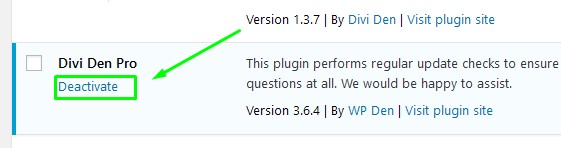
Time to complete: 1 minutesIssue:My license key is not activating or shows the message "Deactivated" when I try to activate it. Solution: Sometimes the "old" API key information is stored in the WordPress database. The fix for this issue is really easy, we just need to force a refresh of the old information by De-activating, and then Re-activating the plugin.1. Deactivate Go to WP dashboard. Go to Plugins, and deactivate Divi Den Pro by clicking "Deactivate" link.
 2. Activate
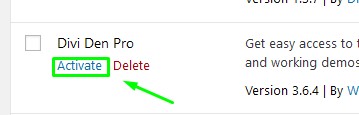
Immediately, activate the plugin back.
2. Activate
Immediately, activate the plugin back.
 3. Activate API
And now, add your API key:
3. Activate API
And now, add your API key:
 That's all!