How to customize the Divi Back to Top Button
Who is this article for
- Anyone who owns Divi Den Pro and wants to know how to customize theBack to Top Button.**
Skill level:Easy
Time to complete: **3+ minutes
Before you start
-
Please make sure you have the latest Divi Theme installed and that Divi Den Pro is up to date.
-
Make sure that Divi Den Pro plugin API key is activated.
Video Tutorial
How to do it You need to make sure first that the Back to Top Button is enabled. Go toDivi> Theme Options:
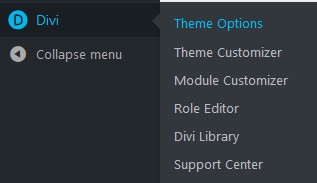
Scroll down and set the option "Back to Top Button" to Enabled:

Don't forget to Save Changes:

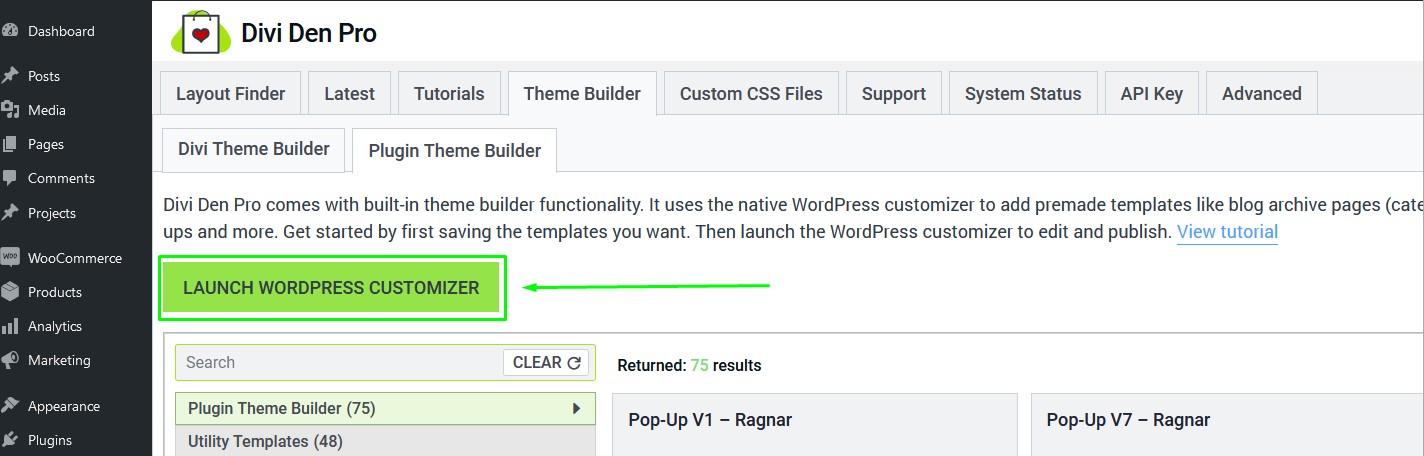
Go to Divi Den Pro dashboard and select the Theme Builder tab. Then select the Plugin Theme Builder tab and launch the customizer:
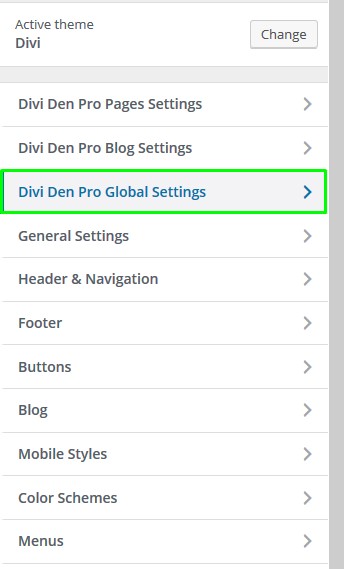
ToggleDivi Den Pro Global Settings:
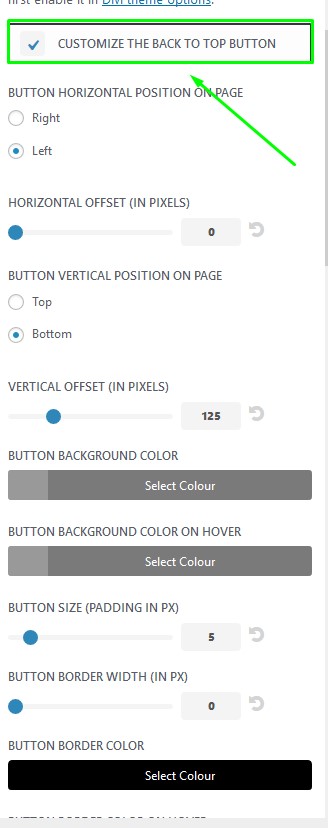
 ToggleCustomize Back to Top Button:
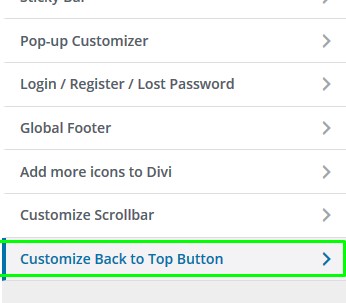 Make sure to check the first option to enable the customized button, and change the settings you need below that:
 Finally, hit the** Publishbutton, and you're done.
